
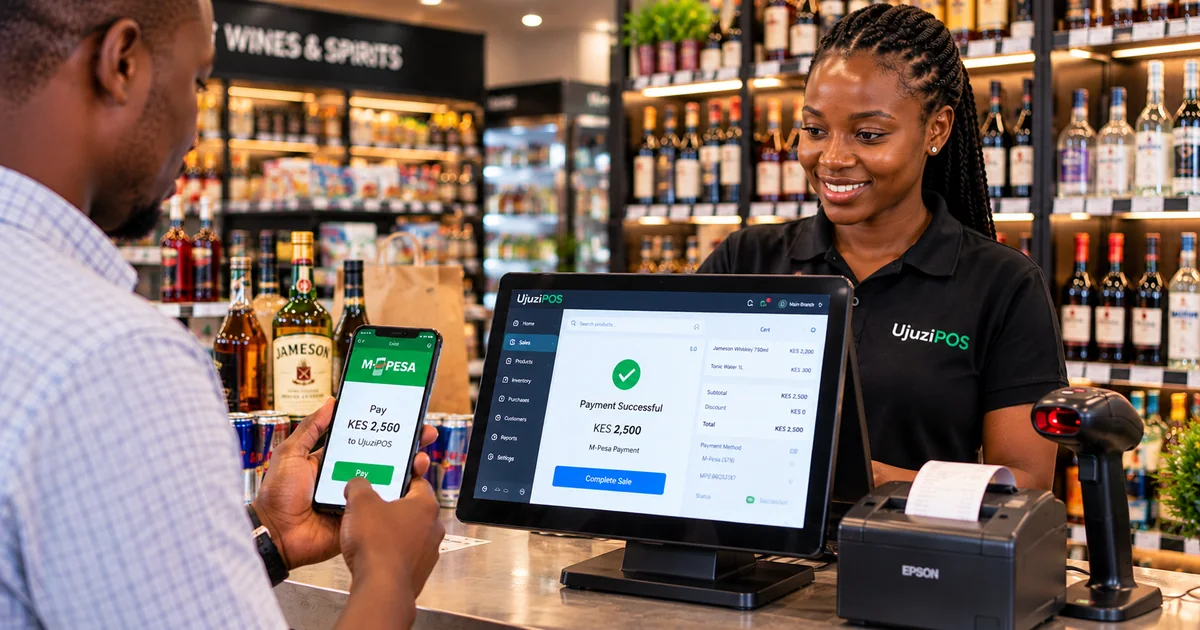
A customer walks into your shop, buys goods and pays using M-Pesa. They show your cashier a confirmation message, but your business hasn't received the payment notification.
Has the customer actually paid? Should the cashier release the goods?
This is a common challenge for Kenyan retailers who manage M-Pesa payments manually.
A POS system with M-Pesa integration can help simplify payments, improve transaction tracking and make daily reconciliation easier.
Here's how it works and what to look for when choosing one.
1. What Is M-Pesa POS Integration?
M-Pesa POS integration connects your Point of Sale (POS) software to supported M-Pesa payment services.
Instead of manually recording every payment, an integrated system can initiate payment requests, receive transaction results and associate confirmed payments with sales.
However, not every POS offers the same level of integration.
Some systems simply allow cashiers to record M-Pesa payments manually. Others support STK Push, payment confirmation and reconciliation.
The important question is whether your POS actually verifies payments or merely records them.
2. How Does M-Pesa STK Push Work?
Imagine a customer buying groceries worth KES 1,850 at your mini-mart.
With a properly configured STK Push integration:
-
The cashier adds products to the POS and selects M-Pesa.
-
The customer's phone number is entered.
-
An STK Push payment request is sent to the customer's phone.
-
The customer enters their M-Pesa PIN privately.
-
M-Pesa processes the transaction and returns the payment result.
-
The POS updates the payment status after confirmation.
This removes the need for customers to manually enter a Paybill or Till number for that transaction.
It also helps reduce errors involving incorrect payment amounts or references.
Remember: An STK Push request being sent doesn't mean the customer has paid. Payment must be confirmed.
3. Why Automatic Payment Confirmation Matters
Payment screenshots are not always reliable proof that money has reached your business.
A screenshot may show an older transaction, contain incorrect details or even be manipulated.
A properly integrated POS can help distinguish between:
-
Successful payments: Money has been confirmed as received.
-
Pending payments: The final transaction result is not yet available.
-
Failed payments: The transaction was cancelled or unsuccessful.
For example, suppose your shop processes 40 M-Pesa transactions in a day, but three remain unconfirmed.
Your POS should help identify those transactions so they can be investigated before closing.
This improves accountability and reduces the risk of releasing goods against unverified payments.
4. Can You Use Your Existing Paybill or Till Number?
Many Kenyan retailers already have an M-Pesa Paybill or Buy Goods Till number.
Depending on the provider and merchant configuration, an integrated POS may support your existing payment arrangement.
Before choosing a POS, ask:
-
Does it support my Paybill or Till?
-
Are payments received through my designated merchant account?
-
Does it support STK Push and payment confirmation?
-
How are failed or delayed transactions handled?
-
Can I reconcile M-Pesa payments against daily sales?
Not every POS supports every merchant arrangement.
Always verify compatibility before onboarding.
5. How M-Pesa Integration Improves Daily Reconciliation
At the end of the day, a retailer needs to know how much was sold and how customers paid.
For example:
| Payment Method | Amount |
|---|---|
| Cash | KES 18,500 |
| M-Pesa | KES 26,000 |
| Total Sales | KES 44,500 |
A good POS should make it easier to compare recorded sales with actual cash and confirmed M-Pesa collections.
If the amounts don't match, the owner should be able to investigate the difference using transaction records.
This is particularly valuable for businesses with multiple cashiers or high daily transaction volumes.
Better payment records mean fewer reconciliation headaches and clearer business visibility.
6. Why Choose UjuziPOS for M-Pesa Payments?
UjuziPOS is a Kenyan retail management platform that connects sales, inventory, payments and reporting.
With supported M-Pesa workflows configured, UjuziPOS helps retailers:
-
Initiate M-Pesa STK Push requests.
-
Track payment statuses.
-
Associate payments with sales.
-
Review payment history.
-
Manage cash and M-Pesa transaction records.
-
Access daily sales and payment reports.
-
Manage inventory and online orders through the same business platform.
UjuziPOS also offers an online storefront, allowing businesses to accept customer orders through a connected digital sales channel.
M-Pesa functionality requires appropriate merchant configuration and activation.
Ready to Simplify Your Retail Payments?
Managing sales and M-Pesa payments shouldn't mean constantly checking screenshots, SMS messages and handwritten records.
Whether you run a mini-mart, liquor store, electronics shop or cosmetics business, having connected sales and payment records can make your operations easier to manage.
Discover how UjuziPOS can help you manage payments, inventory and daily sales from one platform.
Start Your Free UjuziPOS Trial
Explore UjuziPOS M-Pesa & Payment Features
Or contact our team to request a demonstration tailored to your business.